images & GIFs
common image formats, DNG and animated GIFs with high-quality scaling, rotation, adjustments and fast same-folder navigation.
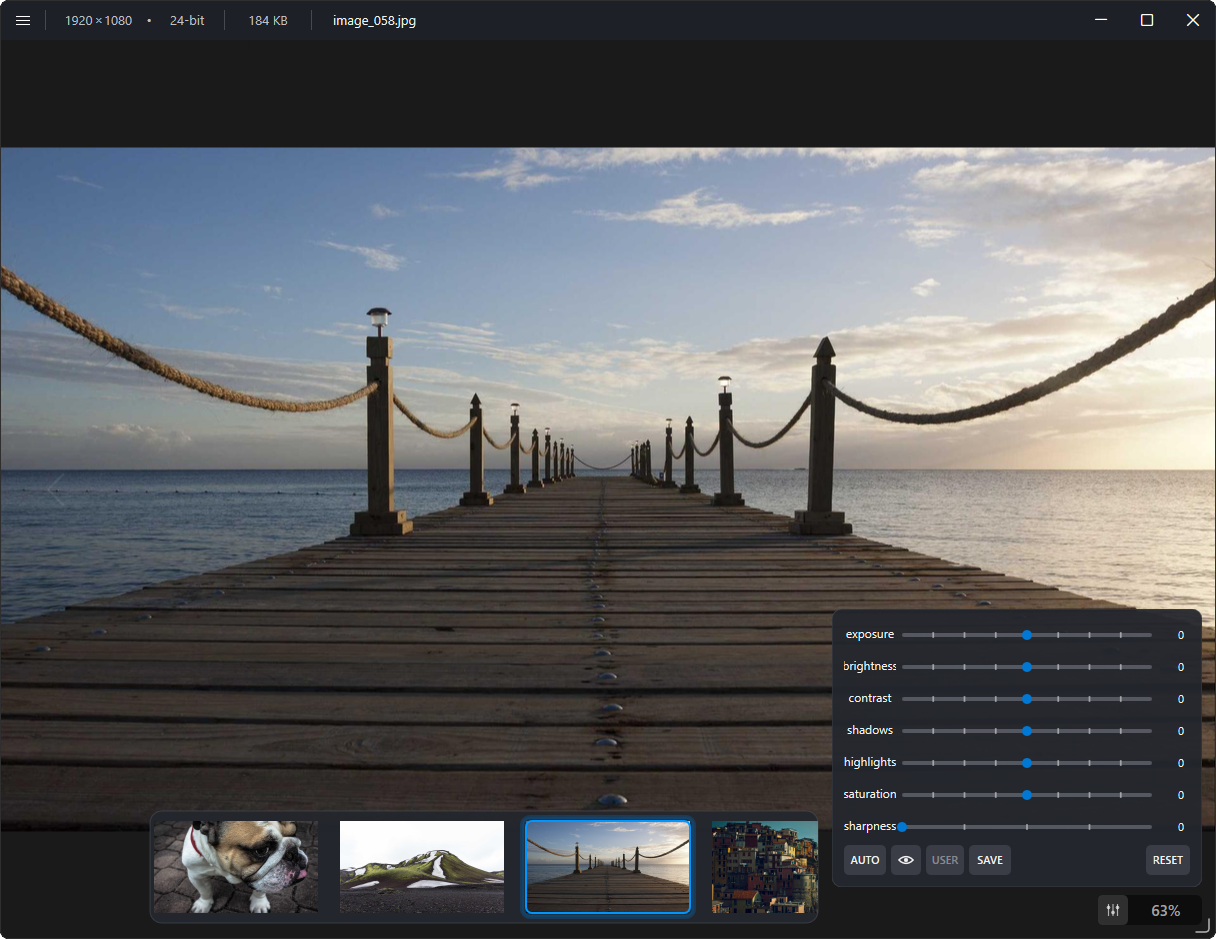
images, animation, video and lightweight 3D viewing share one compact Windows application.
common image formats, DNG and animated GIFs with high-quality scaling, rotation, adjustments and fast same-folder navigation.

high quality video playback with frame stepping, saved frames, adjustments and the same folder-aware navigation.

3D viewing with perspective and orthographic modes, 3D printer build plate, part selection and 3Dconnexion SpaceMouse support.
viewtrious keeps the viewer focused on opening, inspecting and moving through local media instead of building a library around it.
native Win32 rendering and Windows system components keep startup and everyday navigation lightweight.
high-quality scaling uses viewport-bounded Lanczos refinement where it actually helps.
move quickly through same-folder media with a filmstrip that follows the selected file.
exposure, brightness, contrast, shadows, highlights, saturation, sharpness, auto adjustments and presets.
Open With / Default Apps integration, media-family icons, Start Menu installation and STL Explorer thumbnails.
no viewtrious account, no cloud media library and no background media-upload service.
viewtrious uses native Windows graphics, imaging, media, shell and persistence components wherever practical instead of shipping a heavyweight application framework or bundled codec stack.
choose the ready-to-use Microsoft Store version, or download the source from github and build your own copy at no cost.